Read the important numbers.
See documents returned, documents and keys examined, and execution time. Compare the work done with the result you actually needed.
Indexes & explain plans
A result tells you what came back. Explain helps you understand how MongoDB found it, with the winning plan, index details, and examined-document counts beside the query.
Take a closer look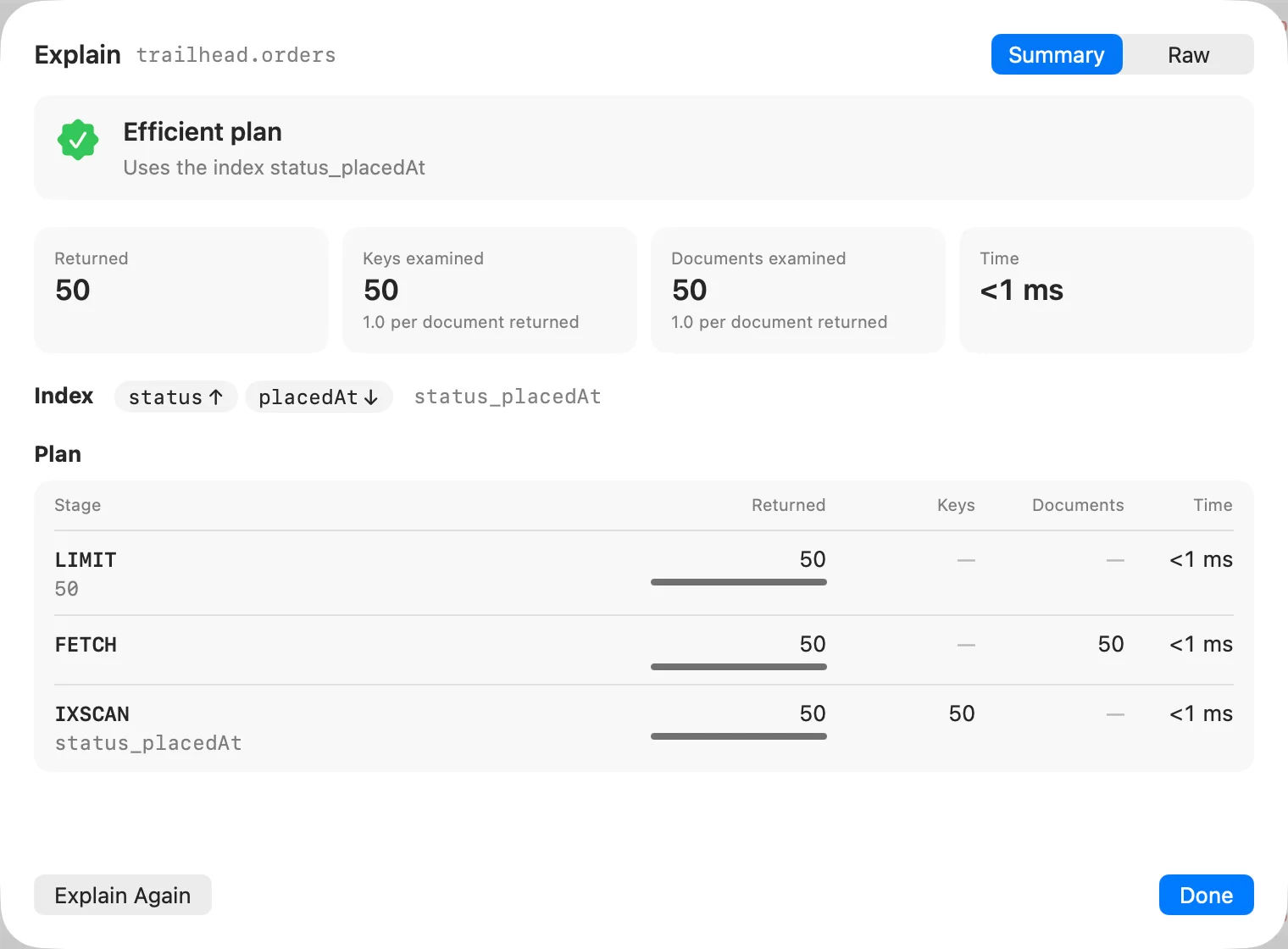
See documents returned, documents and keys examined, and execution time. Compare the work done with the result you actually needed.
Inspect the winning plan and the index it uses. The raw explain JSON is available when you need the server’s full response.
Inspect index keys, options, sizes, and usage. Create indexes with a form or JSON, and confirm before dropping one.
From first click to useful work
Use the filter or aggregation pipeline whose behavior you want to understand.
Check the selected plan and compare keys and documents examined with documents returned.
Review existing keys and options before deciding whether an index change makes sense.
A few practical details
Yes. Explain is available for find queries and aggregation pipelines.
No. Explain reports MongoDB’s execution information. You decide which queries or indexes to change.