Inspect the in-between.
Preview the output at a stage to understand where a filter, grouping, or transformation changes the result.
Aggregation pipelines
A pipeline is easier to understand when you can see its intermediate results. Add stages, check their output, and switch to raw pipeline text whenever that suits the work.
Take a closer look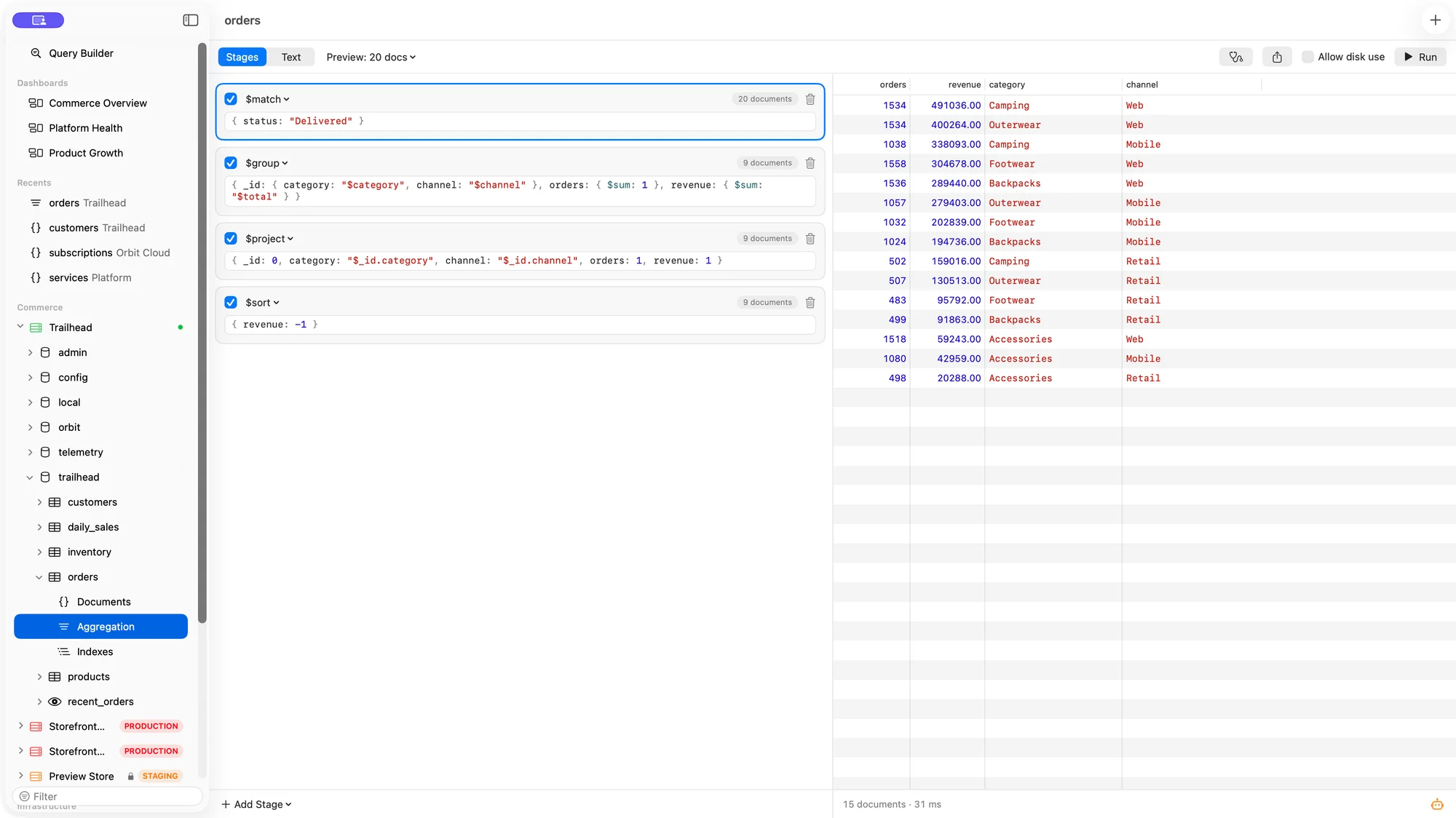
Preview the output at a stage to understand where a filter, grouping, or transformation changes the result.
Use the stage list to shape a pipeline, or edit the whole array in raw mode. Switch between the two as the query grows.
$out and $merge require confirmation. Bison makes the destination visible before a pipeline changes stored data.
From first click to useful work
Open Aggregation from the collection’s sidebar and add the first stage.
Use previews to validate filters and grouped values before adding the next stage.
Inspect the results in a table, tree, or JSON view, and use Explain to understand the plan.
A few practical details
Yes. Raw mode accepts the pipeline array, and you can switch to the stage list to work through it.
No. Write-producing stages are guarded. Running $out or $merge requires an explicit confirmation.